

SEO glossary pages explain important industry terms while creating organized opportunities for search visibility, internal linking, and user education. Each entry answers a specific search query for your audience, connects related concepts, supports your content strategy, and guides readers toward deeper resources or relevant services.
The goal is to create useful resources that match search intent without creating thin content or keyword cannibalization.
What Is an SEO Glossary Page?
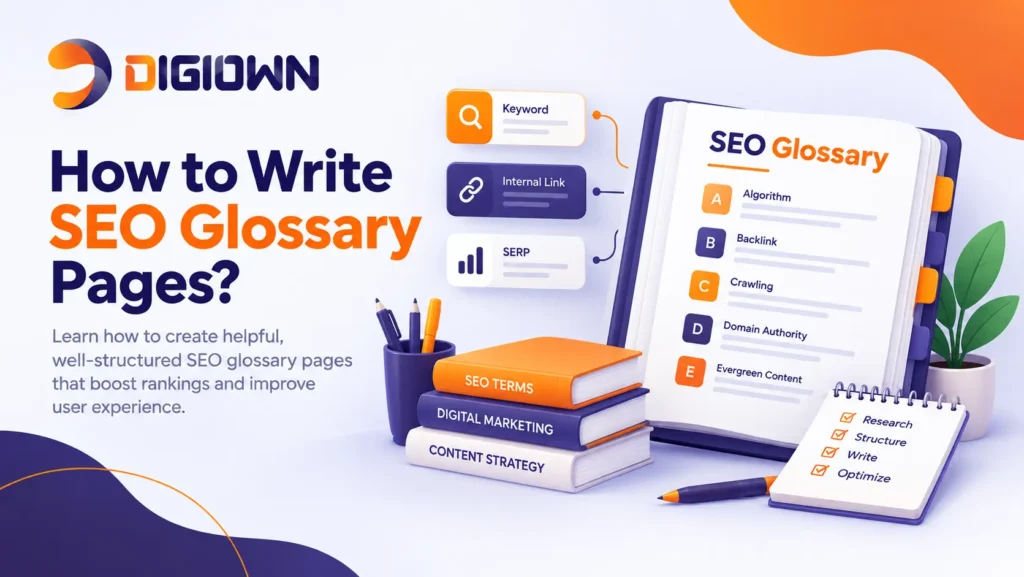
An SEO glossary page is a structured resource that defines terms related to a specific industry or subject. A glossary can exist as one consolidated page, a searchable index page with individual entries, or a hybrid structure that uses both approaches.
A glossary hub usually provides concise definitions and links to detailed pages when a term deserves deeper coverage. A standalone entry works when a term has distinct search demand, multiple relevant questions, and enough useful information to justify a dedicated resource.
Alphabetical navigation helps users find known terms quickly, while semantic grouping can connect concepts that belong to the same topic cluster.
Why Do SEO Glossary Pages Matter?
SEO glossary pages matter because they address definition-based search queries and create a structured internal linking resource. A useful glossary can support several goals at the same time:
- Explain technical terminology in clear language.
- Capture relevant informational search queries.
- Connect related pages through contextual internal links.
- Strengthen topical coverage around important entities.
- Help users move from definitions to guides, products, or services.
Search engines evaluate relevance, usefulness, content quality, links, technical accessibility, and many other signals. A glossary becomes valuable when every entry serves a genuine informational need and contributes to a coherent site structure.
How Do You Choose Terms for an SEO Glossary?
To choose terms for an SEO glossary, start with customer questions, industry terminology, existing website content, and keyword research. Build a broad list before deciding which terms deserve individual entries.
Look for definitions, abbreviations, processes, problems, metrics, and concepts that your audience repeatedly needs to understand as part of a broader content strategy.
Then cluster related search queries by meaning and intent. For example, “organic traffic,” “organic search traffic,” and “what is organic traffic” may belong to one topic rather than three separate pages.
Check existing rankings before creating a new URL. If an established article already satisfies the same intent, improve that article instead of publishing a competing glossary entry. This step reduces cannibalization and keeps authority concentrated on the strongest relevant page.
How Do You Decide Which Glossary Terms to Publish?
Prioritize glossary terms by search demand, business relevance, competition, existing coverage, and user importance.
Start with terms that combine meaningful demand with realistic ranking opportunities. Add high-priority industry concepts even when competition is stronger because those concepts can support topical authority and user education.
Create a content plan that records the target term, search intent, supporting keywords, intended URL, audience, internal links, content depth, CTA, owner, and publication status.
How Should You Structure an SEO Glossary?
Structure an SEO glossary with a central hub, logical navigation, concise definitions, and contextual links to deeper resources. Large glossaries benefit from search functionality, filters, or alphabetical navigation.
A practical architecture includes:
- A central /glossary/ or equivalent hub.
- Individual URLs for terms that deserve standalone coverage.
- Clear H1, H2, and H3 hierarchy.
- Short definitions followed by useful context.
- Links to related glossary entries and supporting articles.
- Relevant links to product or service pages.
- Breadcrumbs and descriptive navigation where appropriate.
Use alphabetical organization for findability, and use semantic categories when thematic relationships help users discover related concepts.
How Do You Write an SEO-Friendly Glossary Definition?
To write an SEO-friendly glossary definition, answer the meaning of the term in the first sentence. Then explain the term’s practical relevance, related concepts, and appropriate use case without adding unnecessary filler.
For example, an SEO definition for “301 redirect” should immediately state that a 301 redirect permanently sends users and crawlers from one URL to another. The following text can explain common migration, URL-change, and consolidation uses.
Keep the definition accurate and specific. Avoid rewriting competitor definitions, stuffing exact-match phrases, or creating artificial keyword variations. Use natural semantic keywords when those terms genuinely clarify the subject.
A strong entry should answer the core question first and then provide enough context to satisfy related informational intent.
How Do You Use Keywords in Glossary Pages?
Use keywords to clarify topic relevance, not to repeat the same phrase throughout a page. Place the primary topic naturally in the title tag, H1, introduction, URL, and relevant body copy where those placements accurately describe the page.
Use supporting terms in subheadings and paragraphs when each term contributes useful meaning. Semantic keywords can help explain relationships among concepts, but “LSI keywords” should not be treated as a special ranking requirement. Latent Semantic Indexing is an information retrieval concept, not a modern Google optimization formula.
Keyword research should identify what users search for, while content should answer those searches naturally.
How Does Internal Linking Strengthen a Glossary?
Internal linking strengthens a glossary by connecting definitions with related educational, commercial, and supporting resources. Each link should help users move to a page that expands the current subject.
Link from glossary entries to detailed guides when readers need implementation instructions. Link from relevant blog posts back to glossary definitions when a technical term needs clarification. Link to service or product pages when the commercial connection is genuinely relevant.
Avoid creating automatic links for every possible phrase. Excessive internal linking can reduce usability and make pages difficult to read. Use descriptive anchor text that accurately communicates the destination.
Should Every Glossary Term Have Its Own Page?
No. Every glossary term does not need a separate page. A consolidated glossary is often more efficient for terms with limited search demand, overlapping intent, or insufficient depth.
Create a standalone page when a term has distinct search intent and enough useful information to support a substantial resource. Keep closely related low-demand definitions together when separate pages would create thin content.
Before publishing a new URL, compare the intended topic with existing pages. If two pages would answer essentially the same query, consolidate the coverage or clearly differentiate the search intent.
What On-Page SEO Elements Should You Optimize?
Optimize the title tag, meta description, URL, headings, introductory definition, internal links, and relevant image attributes. Use one clear H1 and maintain a logical H2 and H3 hierarchy.
Keep the title descriptive and aligned with the actual topic. Write a meta description that accurately summarizes the page rather than repeating keywords. Use a short, readable URL that identifies the term.
Add descriptive alt text to meaningful images, but do not insert keywords into decorative image attributes without purpose. Technical optimization should support accessibility, crawling, indexing, and user experience rather than manipulate rankings.
Should You Add Structured Data to Glossary Pages?
Yes. Relevant structured data can help search engines interpret page content, but structured data does not guarantee enhanced search results or higher rankings.
Use Schema.org vocabulary that accurately represents the page and its content. Choose the appropriate schema type based on the actual resource rather than adding unrelated markup. Validate structured data before deployment and keep markup consistent with visible content.
For a glossary system, clear page relationships, breadcrumbs, and descriptive organization can matter as much as individual markup choices. Schema markup should support understanding, not replace strong content.
How Do You Optimize Glossary Pages for AI Search?
Optimize glossary pages for AI search by providing concise definitions, factual explanations, clear headings, and well-connected supporting content. AI systems need content that can be interpreted and extracted accurately.
Answer definition questions directly before adding deeper context. Include specific facts, terminology, examples, and relationships that establish what a concept means and how the concept connects to related topics.
A useful page must still satisfy human readers, provide trustworthy information, and offer clear navigation. Strong information architecture, internal linking, and authoritative content can support visibility across traditional and AI-driven search experiences.
How Do You Prevent Thin Content and Cannibalization?
Prevent thin content and cannibalization by assigning one clear search intent to each URL. Consolidate overlapping definitions and reserve standalone pages for topics that justify independent coverage.
Audit the glossary against your existing blog, service, category, and product pages before publication. Compare titles, queries, rankings, and content purpose. When overlap exists, decide which URL should own the topic and link supporting pages toward that primary resource.
Regular content audits can identify duplicate intent, outdated definitions, weak entries, and pages that attract impressions without satisfying users.
How Do You Measure Glossary Performance?
Measure glossary performance through organic impressions, clicks, keyword rankings, engaged visits, internal link clicks, conversions, and indexed URLs. Search Console can show which queries generate impressions and clicks, while analytics can reveal what users do after entering the glossary.
Review performance at both hub and entry level. A glossary may attract informational traffic without producing direct conversions, while internal links can move qualified visitors toward commercial pages.
Track changes after substantial updates rather than judging a page from a single short reporting period. Use performance data to expand useful terms, consolidate weak entries, and improve pages that show clear demand.
How Often Should You Update an SEO Glossary?
Update an SEO glossary when terminology, industry practices, search intent, or linked resources materially change. Review high-value entries for outdated definitions, broken links, obsolete examples, and missing topics.
Each revision should add accuracy, clarity, useful coverage, or better navigation rather than simply changing the publication date.
Frequently Asked Questions
How does an SEO glossary help users understand SEO terms?
An SEO glossary helps users understand SEO terms by providing clear definitions, practical context, examples, and links to related resources. A structured glossary lets beginners find terminology quickly while helping experienced users move from basic definitions to detailed guides and services.
Can SEO glossary pages improve website SEO?
SEO glossary pages can improve website SEO when glossary content satisfies genuine search intent and strengthens site structure. Useful definitions can target informational queries, support internal linking, expand topical coverage, and help users discover relevant articles, products, or services.
Do SEO glossary pages help with Google rankings?
SEO glossary pages can rank for relevant Google searches when pages provide useful, accessible, and intent-matched information. Rankings depend on multiple factors, including relevance, content quality, technical accessibility, competition, internal links, and overall site signals rather than glossary format alone.
How do you create an SEO-friendly glossary page?
Create an SEO-friendly glossary page by researching relevant terms, clustering overlapping queries, assigning clear search intent, writing direct definitions, optimizing on-page elements, and building contextual internal links. Consolidate thin topics and create standalone pages only when independent coverage provides meaningful value.